

DNS security and attack surface, for the tab you're on.
Click the icon on any site and DNSAudit reads its public DNS, then shows a quick snapshot across six tabs. One click takes you to the full graded report.
 Add to Firefox
What it checks
A fast factual read from public DNS, not a verdict. Hover any row to see the record behind it. The graded findings and fixes live in the full report.
Overview
A DNS security posture read by area, an exposure summary, and the last DNSAudit grade when the domain has been scanned before.
Email authentication
SPF with its qualifier and DNS lookup count, DKIM at common selectors, DMARC policy and reporting.
DNS integrity
DNSSEC, the certificate authorities allowed by CAA, DANE, a wildcard check, and a DNS rebinding check that flags private IPs in public records.
Infrastructure
Nameservers and their provider, IPv4 and IPv6, and the mail servers behind the domain.
Attack surface exposure
Integrations detected from TXT records, reverse DNS with the forward-confirmed check, and sensitive hostnames that resolve.
Raw records
Every record the domain publishes, grouped by type, with its TTL. Click a value to copy it.
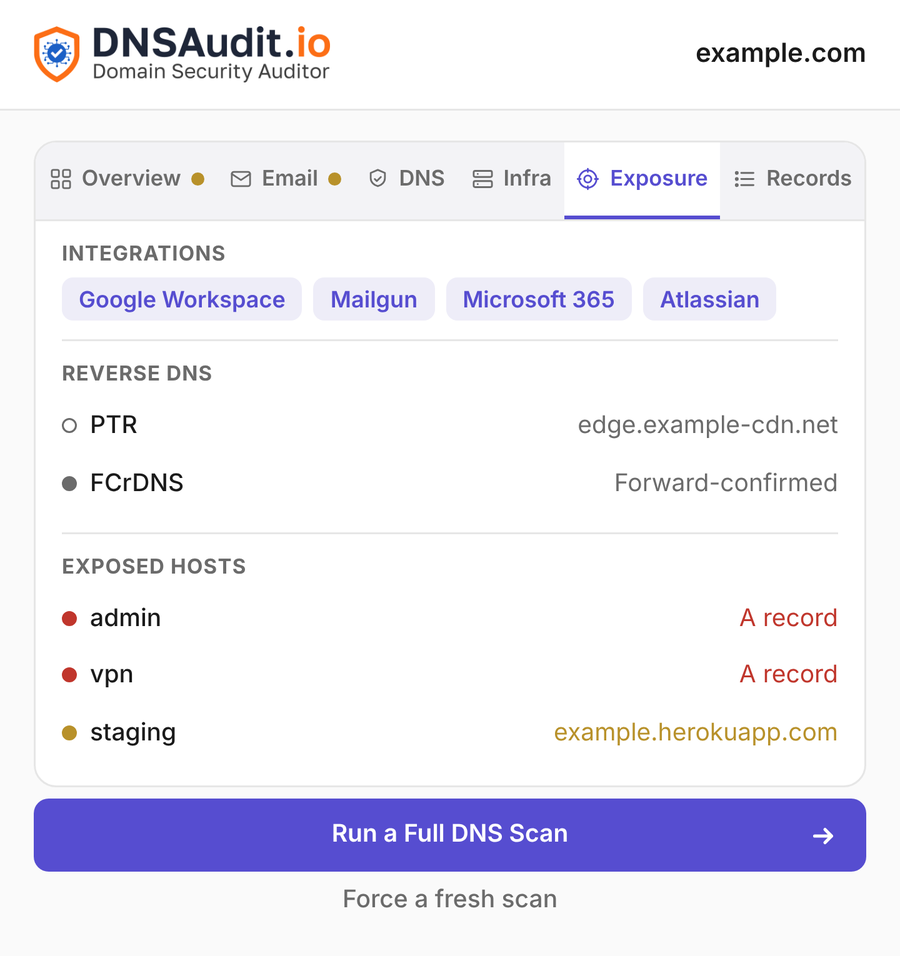
See what a domain puts on the internet
Forgotten hostnames that still resolve, third parties wired in through TXT records, and reverse DNS that does not forward-confirm all widen a domain's attack surface. The Exposure tab surfaces them straight from the tab you are on.
- Exposed hosts. Common sensitive names such as
admin,vpnorstagingthat resolve, tiered by risk. - Integrations. Vendors detected from verification records in TXT, so you can see who is wired into the domain.
- Reverse DNS. The PTR record and whether it is forward-confirmed (FCrDNS).
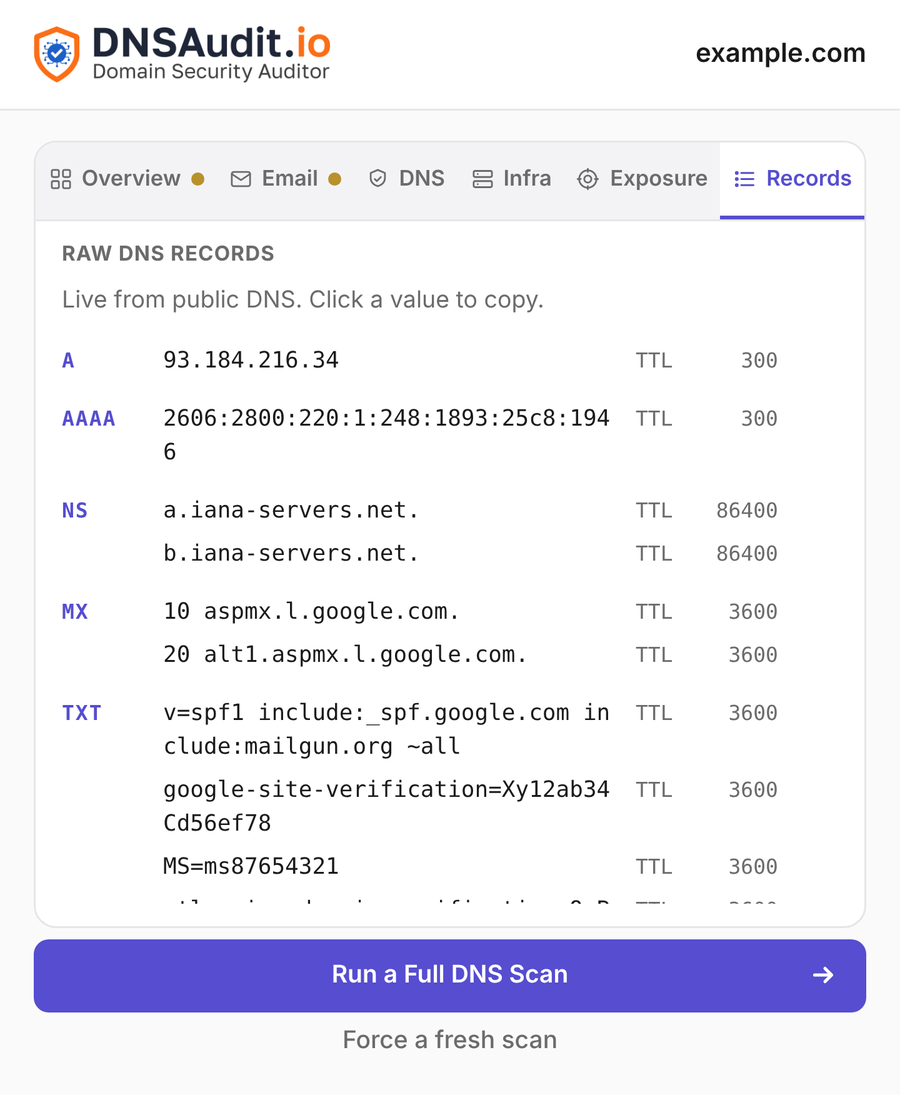
The raw records, right there
A dig-style view without opening a terminal. Every record grouped by type with its TTL, read live from public DNS. Click any value to copy it.
- Grouped by type. A, AAAA, CNAME, NS, MX, TXT, CAA, SOA and SRV, each with its TTL.
- Two resolvers. Queries go to Cloudflare over DNS over HTTPS, with Google as a fallback.
- Copy on click. Grab any record value without selecting text.
From a tab to a report in three steps
Install the extension
Add it to Chrome or Firefox. No account, nothing to configure.
Open it on any site
Click the icon, or right click a domain or a link, to read its public DNS live.
Run the full scan
One button opens the graded report on DNSAudit.io, reusing the last scan when there is one.