Table of Contents
About 20 years ago, when I was working as a Linux SysAdmin, I was constantly handling website moves, mail server migrations, DNS provider switches, and sometimes full infrastructure relocations for customers. Different types of projects, different sizes of companies, but sooner or later, every one of them required touching the DNS records.
I had a solid checklist, and I was careful. Lower TTLs before the move, export the full zone, and compare it line by line, verify MX and authentication records like SPF and DKIM, and check what the registrar was actually delegating instead of trusting a dashboard. Even then, small DNS issues sometimes showed up a few days later.
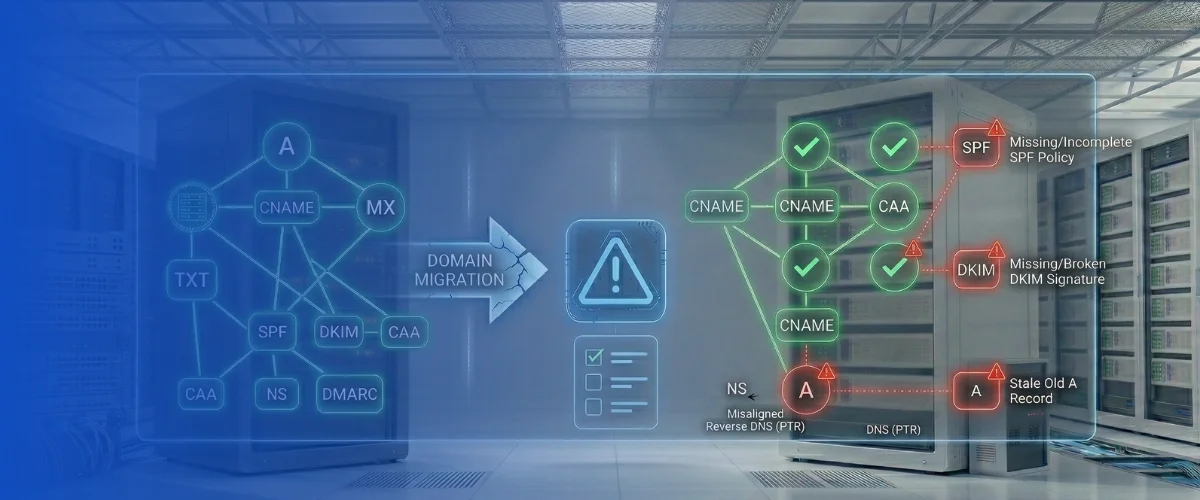
Looking back, it’s easy to see that most migration problems aren’t about traffic, system resources, or tech complexity. Sometimes, they are just about incomplete validation of the DNS layer. And that’s exactly what this post covers: the 10 most common DNS mistakes I’ve seen after website, email, or infrastructure migrations, and what you should be checking every time.
Let’s begin!
1. Recreating Only the Obvious Records
During migrations, teams usually copy the records that look operationally critical: A, AAAA, CNAME, and MX.
What gets missed are TXT records and policy-related entries that accumulated over the years. Things like:
example.com. TXT “google-site-verification=abc123”
example.com. TXT “v=spf1 include:_spf.google.com include:mailgun.org -all”
selector1._domainkey.example.com. TXT “v=DKIM1; k=rsa; p=MIIBIjANBgkq…”
example.com. CAA 0 issue “letsencrypt.org”
SPF is defined in RFC 7208. DKIM in RFC 6376. CAA, which controls certificate authority authorization, is defined in RFC 8659. These aren’t optional decorations; they define how your domain is trusted by other systems.
The site can load perfectly while one of these is missing. The failure only becomes visible when a SaaS tool tries to verify ownership, when email authentication weakens, or when certificate issuance policy changes without you realizing it.
Export the old zone. Compare it to the new one. Line by line.
2. Breaking Email Authentication Without Noticing
Email is often the first thing to degrade quietly.
MX records might still exist, but priorities may be altered. SPF records might be partially copied. DKIM selectors may never be recreated. DMARC, defined in RFC 7489, might be removed or relaxed.
A working setup might have looked like:
example.com. MX 10 mail1.provider.com.
example.com. MX 20 mail2.provider.com.
example.com. TXT “v=spf1 include:_spf.google.com include:mailgun.org -all”
_dmarc.example.com. TXT “v=DMARC1; p=reject; rua=mailto:[email protected]”
After migration, email still sends and receives, but authentication fails more often, and messages drift into spam.
After any migration, explicitly verify:
dig MX example.com
dig TXT example.com
dig TXT _dmarc.example.com
dig TXT selector1._domainkey.example.com
Do not assume replication was accurate.
3. Leaving Old IP Addresses in the Zone
It’s common to migrate infrastructure and forget to remove older A or AAAA records.
You might still have:
old-api.example.com A 198.51.100.12
legacy.example.com A 198.51.100.13
Those IPs may still respond. Or they may later be reassigned by a cloud provider. If DNS continues publishing IP addresses you no longer control, you’ve created exposure.
List every A and AAAA record after a migration and confirm ownership. Especially in cloud environments where IP reassignment is routine.
4. Failing to Adjust TTL Before the Change
TTL determines how long resolvers cache a record. If you had:
example.com. 3600 IN A 192.0.2.10And then you change the IP without lowering TTL in advance, many users will keep hitting the old IP for up to an hour or longer.
You end up with traffic split between old and new infrastructure. Sessions break. Debugging becomes confusing because different users see different results.
Lower TTL to something like 300 at least 24 hours before migration. Wait for propagation. Make the change. Then increase TTL again once stable.
Skipping that preparation step creates avoidable instability.
5. Updating Nameservers at the Provider but Not at the Registrar
DNS delegation happens at the registry level. Updating nameservers inside your DNS provider’s control panel is not enough.
If the registrar still delegates to the old nameservers, the Internet continues querying them.
To see what the registry is actually publishing, query a TLD server directly:
dig NS example.com @a.gtld-servers.netThat output reflects reality. Not your dashboard.
Mismatched delegation after migrations is more common than people expect.
6. CAA Records Not Recreated
CAA records specify which certificate authorities are allowed to issue certificates for your domain, as defined in RFC 8659.
If before migration, you had:
example.com. CAA 0 issue “letsencrypt.org”And after migration, if no CAA records exist, then you have effectively removed issuance restrictions.
The site still loads. HTTPS still works. But your certificate policy changed.
Check with:
dig CAA example.comIf nothing returns but you expected restrictions, you altered your security posture during migration.
7. Subdomains Never Revalidated
Migration testing usually focuses on:
example.com
www.example.com
But production environments often include:
dev.example.com
staging.example.com
vpn.example.com
admin.example.com
Some may still point to old infrastructure. Some may have been intended to be internal only. Some may no longer be needed at all.
After a migration, enumerate subdomains and verify each one intentionally resolves where it should. This is one of the simplest ways to reduce unnecessary exposure.
8. DNSSEC DS Record Left Stale
If DNSSEC was enabled before a provider change, the Delegation Signer (DS) record at the registry must match the new provider’s DNSKEY. If the DS record references old keys while the new provider is signing with different ones, validating resolvers may reject your domain.
Check with:
dig +dnssec example.com
dig DS example.com
If you are not actively maintaining DNSSEC, remove stale DS records rather than leaving them misaligned.
9. Reverse DNS Never Updated
Forward DNS gets attention during migrations. Reverse DNS often doesn’t.
If your mail server moved to a new IP:
mail.example.com -> 203.0.113.25Then the reverse mapping should reflect that:
25.113.0.203.in-addr.arpa -> mail.example.comReverse DNS is typically managed at the IP provider level. Failing to update PTR records affects mail reputation and trust signals even when forward DNS looks correct.
10. Registrar Security Left in a Weak State
During migrations, registrar access is often used to update nameservers. Once changes are complete, teams move on.
It’s common to forget to verify that the registrar lock is enabled, two-factor authentication is active, auto-renew is confirmed, and recovery contact details are correct.
If the registrar account is compromised, every DNS record can be changed regardless of how carefully you migrated the zone.
Registrar security is part of DNS security.
How to Avoid These Mistakes
The pattern behind all of these issues is incomplete validation.
Teams check whether traffic flows and email sends. They rarely validate registry delegation, record completeness, certificate policy, IP ownership, reverse DNS alignment, and DNSSEC state together.
A simple way to reduce the chance of missing something is to run a structured set of DNS checks after every migration.
| DNS Layer | What You Should Validate | Why It Matters | Example Check |
|---|---|---|---|
| Zone record completeness | Confirm all records from the previous zone exist in the new one | Missing TXT or policy records can silently break services | Compare exported zones or run a DNS audit |
| Email authentication | Verify MX, SPF, DKIM and DMARC records | Incorrect records reduce email deliverability and authentication trust | dig MX example.com |
| Certificate policy | Confirm CAA records were recreated | Missing CAA changes which certificate authorities can issue certs | dig CAA example.com |
| Delegation integrity | Verify registrar nameserver delegation | DNS provider changes don’t take effect if registrar still points elsewhere | dig NS example.com @a.gtld-servers.net |
| Infrastructure ownership | Confirm all A and AAAA records point to controlled infrastructure | Old IPs can become security exposure if reassigned | dig A example.com |
| Subdomain exposure | Check which subdomains still resolve publicly | Dev or staging systems may remain exposed | Enumerate and verify resolving hosts |
| DNSSEC alignment | Confirm DS and DNSKEY match after provider change | Mismatched DNSSEC records can cause resolution failures | dig +dnssec example.com |
| Reverse DNS | Ensure PTR records match the new infrastructure | Reverse DNS affects mail trust and reputation | dig -x 203.0.113.25 |
| TTL configuration | Confirm TTLs are appropriate after migration | Incorrect TTLs can cause long propagation delays or instability | dig example.com |
| Registrar security | Verify registrar lock, 2FA, and renewal settings | Registrar compromise overrides DNS security | Review registrar account settings |
A structured post-migration DNS audit closes that gap.
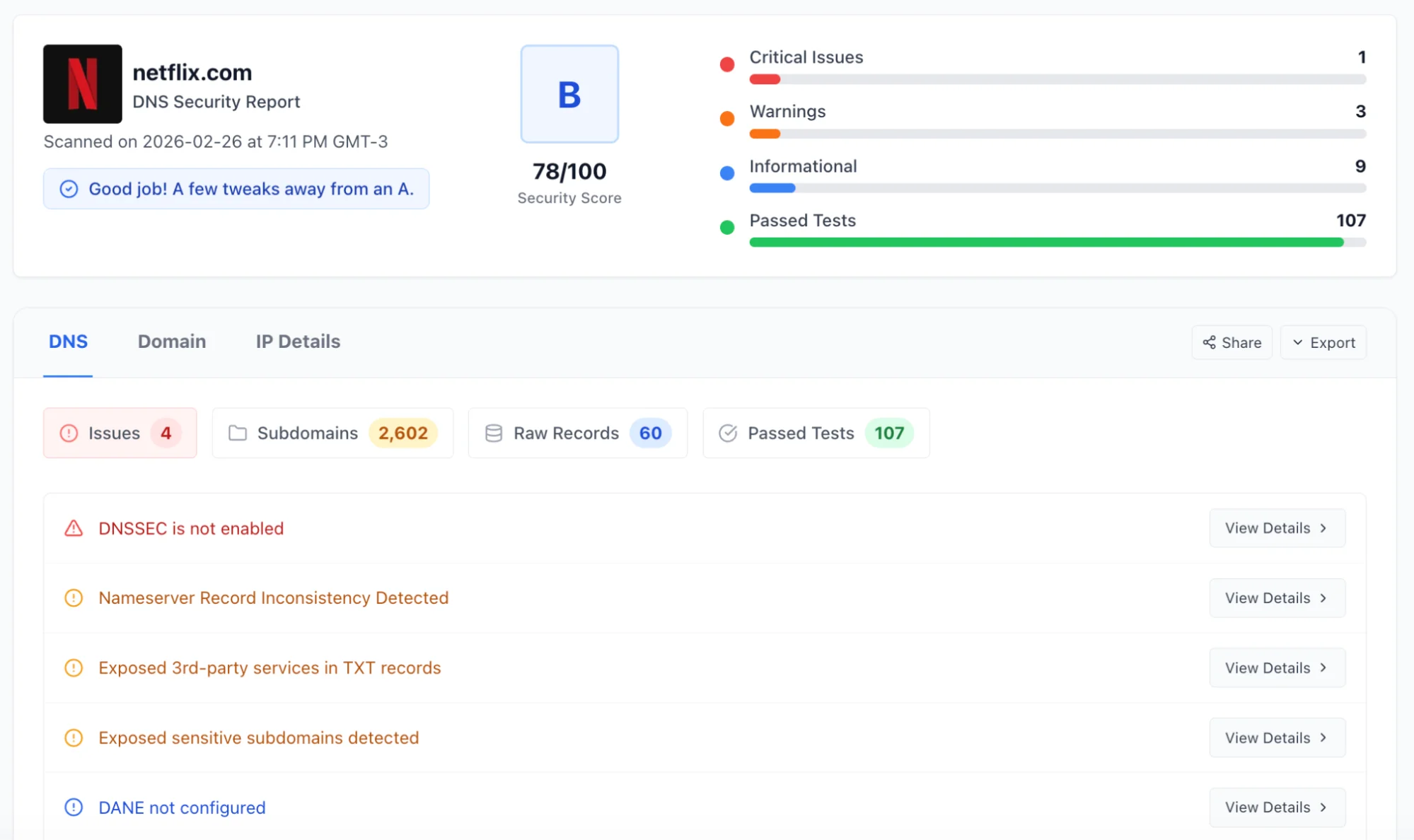
DNSAudit.io was built to surface structural DNS misconfigurations that are easy to overlook during migrations. Delegation mismatches, missing CAA records, stale DNSSEC configuration, exposed subdomains, and nameserver inconsistencies. Instead of running a long series of manual checks and hoping nothing was missed, you can validate the domain in a single pass.
It doesn’t replace your checklist. It strengthens it.
Conclusion
Most DNS mistakes introduced during migrations are subtle. They don’t immediately break the website, but they create inconsistencies that later impact email deliverability, certificate issuance, exposure of legacy infrastructure, or trust.
A homepage loading successfully only proves that one record works. It does not prove the DNS layer is structurally correct.
If you recently migrated a website, email provider, DNS service, or infrastructure, validate the DNS layer intentionally.
Run a structural DNS check at DNSAudit.io and make sure the migration was actually completed properly.